matrix-mode
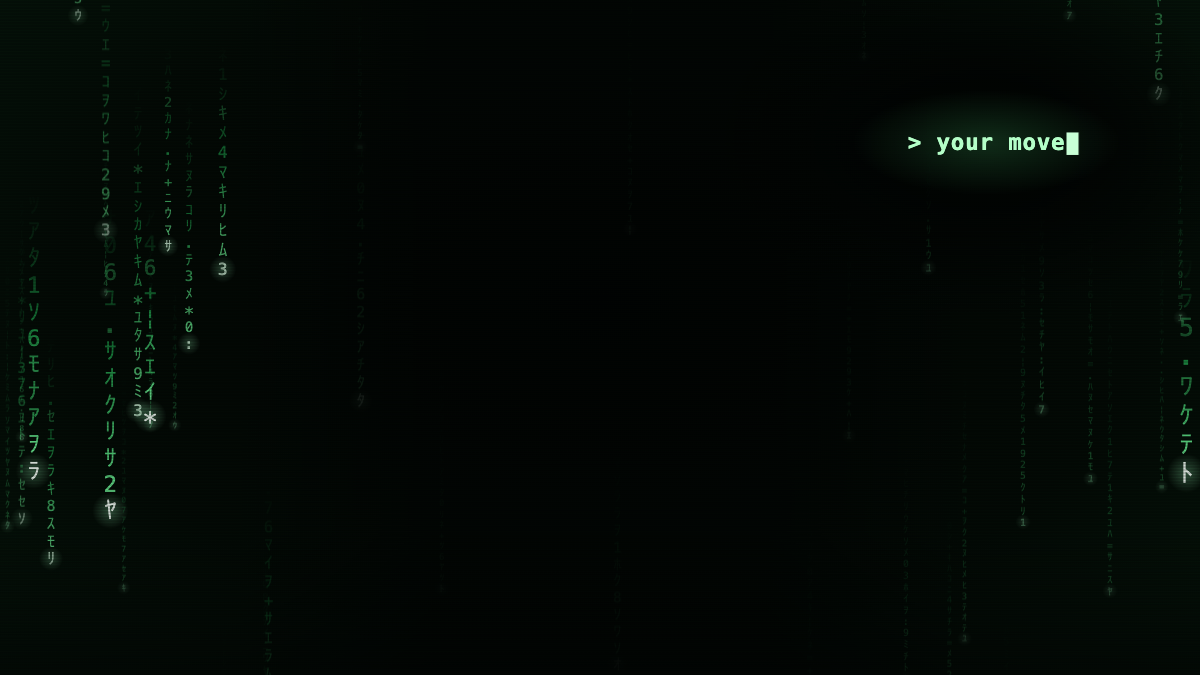
Code rain while Claude works. A blinking cursor, and your move, when it needs you.
Install
claude plugin marketplace add hamzafer/claude-code-mods
claude plugin install matrix-mode@claude-code-modsRestart Claude Code after installing. To try it without installing, clone the repo and run claude --plugin-dir mods/matrix-mode.
How to use
- Nothing to run. Start a local session in the Code tab of the Desktop app and send a message: the rain starts behind the chat.
- To take the look off, turn the mod off, start a new session, then open Settings, search for
code appearanceand choose Remove colors.
How it behaves
- While Claude works, columns of green glyphs fall in three depths: small, dim and slow far away, large and bright up close, each with a white-hot head and a fading tail. The rain is thick at the edges and thin behind the chat, so the words stay easy to read.
- When Claude needs you (its turn ended, it asks you a question, or a permission prompt is still waiting after 1.5 seconds), the rain slows to a crawl and dims, a few columns stop where they are, and in the upper right a prompt types out
> your move. Its block cursor blinks for as long as it waits. - Every time is new: each wait picks its own columns to stop.
- There is no event for the moment you approve a permission prompt, so after you approve one the needs-you scene stays until that tool finishes. Background subagents and other plugins' tool calls never change it.
- Green-black with a phosphor-green accent, dark mode only. The terminal draws no theme, so there it does nothing. Your system's reduced-motion setting stops the rain and shows the prompt already typed.